
You putt, we track.
Set your iPhone on a small tripod behind the hole. EyePutt sees where every ball stops, then tells you what to work on next: the result, never the stroke.
Coming soon to the App Store · iPhone
You know your score. Not your putting.
On the practice green, you roll balls and guess. Short? By how much? Are your 10-foot putts better than last month? Nobody keeps count, so nothing improves on purpose.
Ready in 20 seconds.
-
Set up.
Tripod behind the hole, iPhone on top. EyePutt finds the hole by itself.
-
Putt.
Play your balls as usual. With earphones in, pause and resume by voice to pick them up.
-
Listen.
Each result in your ear: “Short, 16 inches, zone 1.”
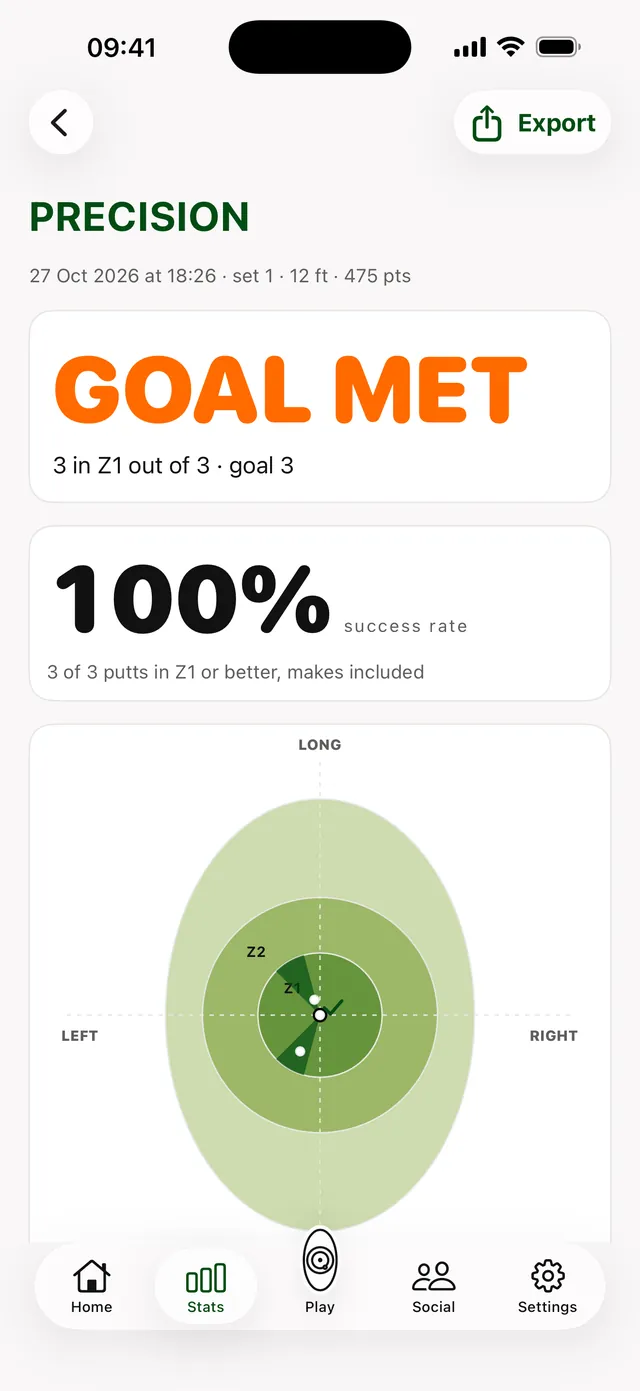
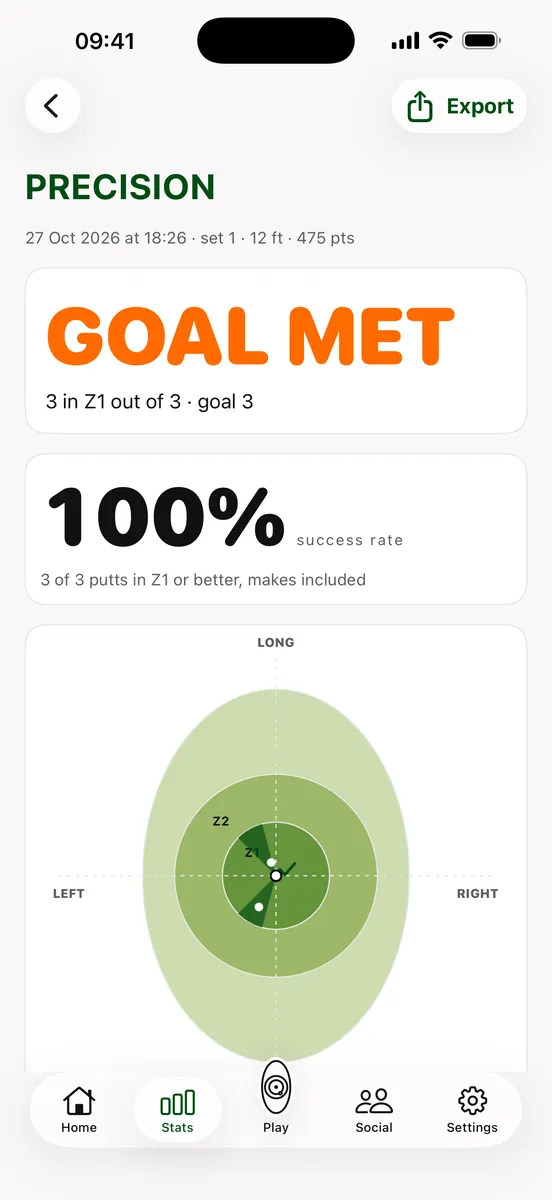
The target: two zones, and one that matters more.
- Zone 1.
- The ball stops within 18 inches of the cup.
- Zone 2.
- Within 2 ft 11 in.
- Pro zone.
- The half-circle of zone 1 behind the hole, as defined by EyePutt: the ball reached the hole and finished close to it. It’s the miss you want when the putt doesn’t fall.
- Out of zone.
- The ball is still measured as long as the camera sees it: short or long, and by how much.
A coach for the result.
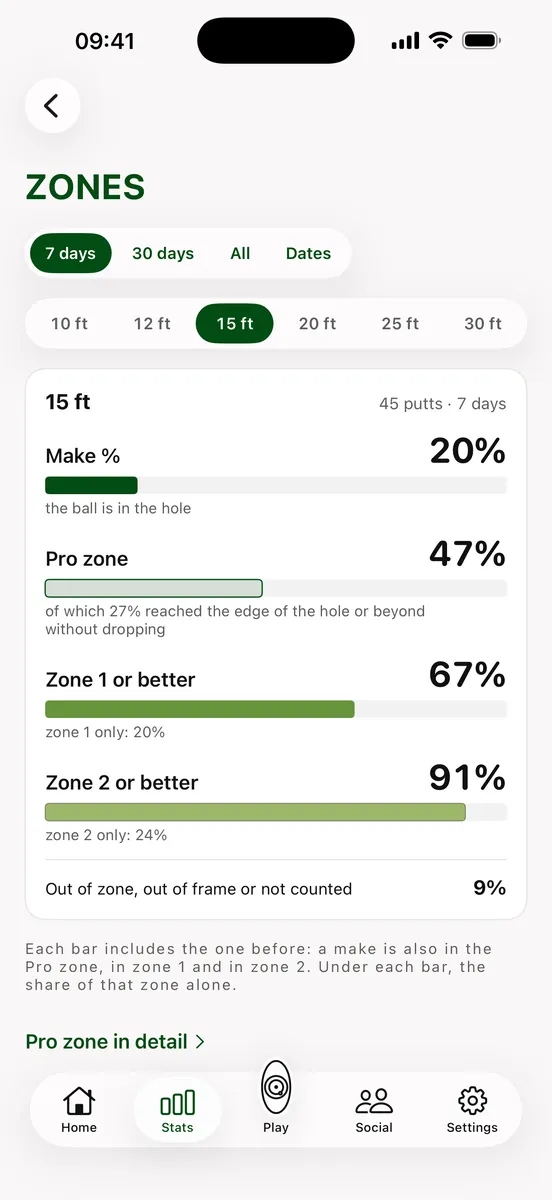
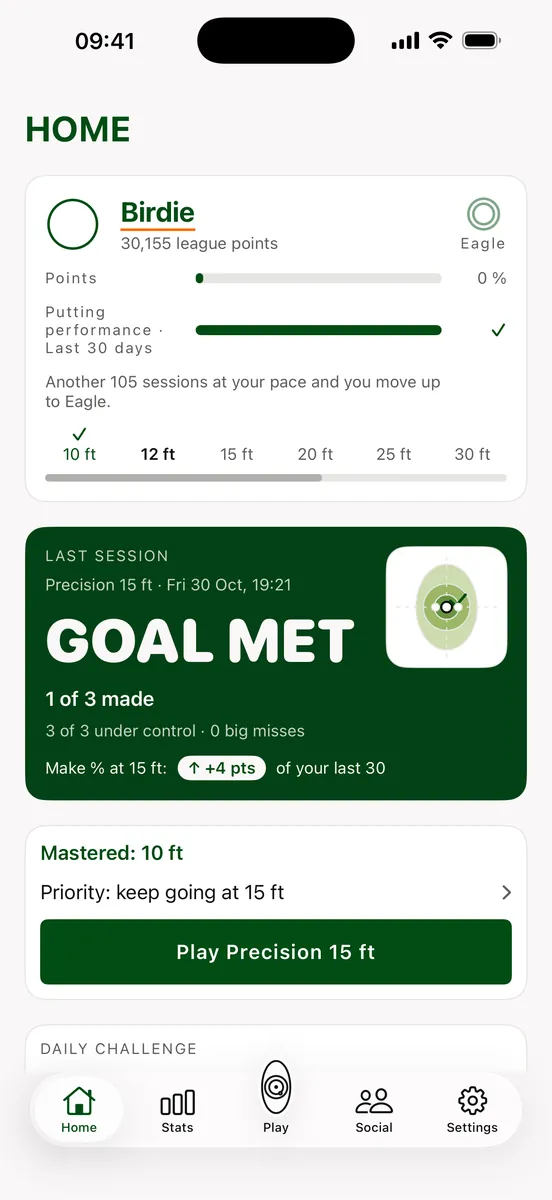
EyePutt never touches your stroke. It looks at where your balls finish, distance by distance, and writes one line after each session: what holds, what needs work, and the next session to play.
Mastered: 10 ft · Priority: confirm 12 ft
Games that keep score.
Free Play.
You choose the distance. Three balls, and the app measures where each one finishes: IN, or how far from the hole.
Precision.
The app gives you the distance, from 10 to 25 ft. Three balls: pass the set by leaving them in zone 1 — or in the hole.
No 3‑Putts.
From far out, 30 to 65 ft. Keep your three balls in zone 2 or better, and the three-putt disappears from your card.
How Far?
Start at 10 ft with 5 lives. A make or zone 1: you step back 3 ft (+1 life for a make). Zone 2: −1 life. Beyond: −2.
Sudden Death.
Choose your distance: 7, 8 or 10 ft. Make as many in a row as you can. At the first miss, the game stops — say “restart” to go again.
Duel.
Two players, one phone, one earphone each. One ball each in turn: a make is 2 points, closest is 1 point. First to 7.
Climb from Bogey to Albatross. It is your own league, with no ranking against others: it rewards showing up as much as making putts.
FAQ
- What do I need?
- An iPhone running iOS 26 or later, and a small tripod with a phone mount. An iPhone Pro is recommended: its LiDAR sensor measures the phone’s height on its own. On other models, you measure it by gently tilting the tripod forward, then straightening it, or you set it in Settings › Game settings. Earphones are optional, for the voice.
- Will it disturb other players?
- No. The voice plays in your earphones; without earphones, EyePutt does not listen and speaks through the speaker, at a lower volume.
- Does it judge my stroke?
- No. Only where the ball ends up.
- Do I need an account?
- No. Your sessions stay on your iPhone.
Be on the green on day one.
Leave your email: we’ll write once, the day EyePutt lands on the App Store.